
Calculate each window
See when online and in-person reporting opens and when registered mail should be sent.
One official date. Three ways to be on time.
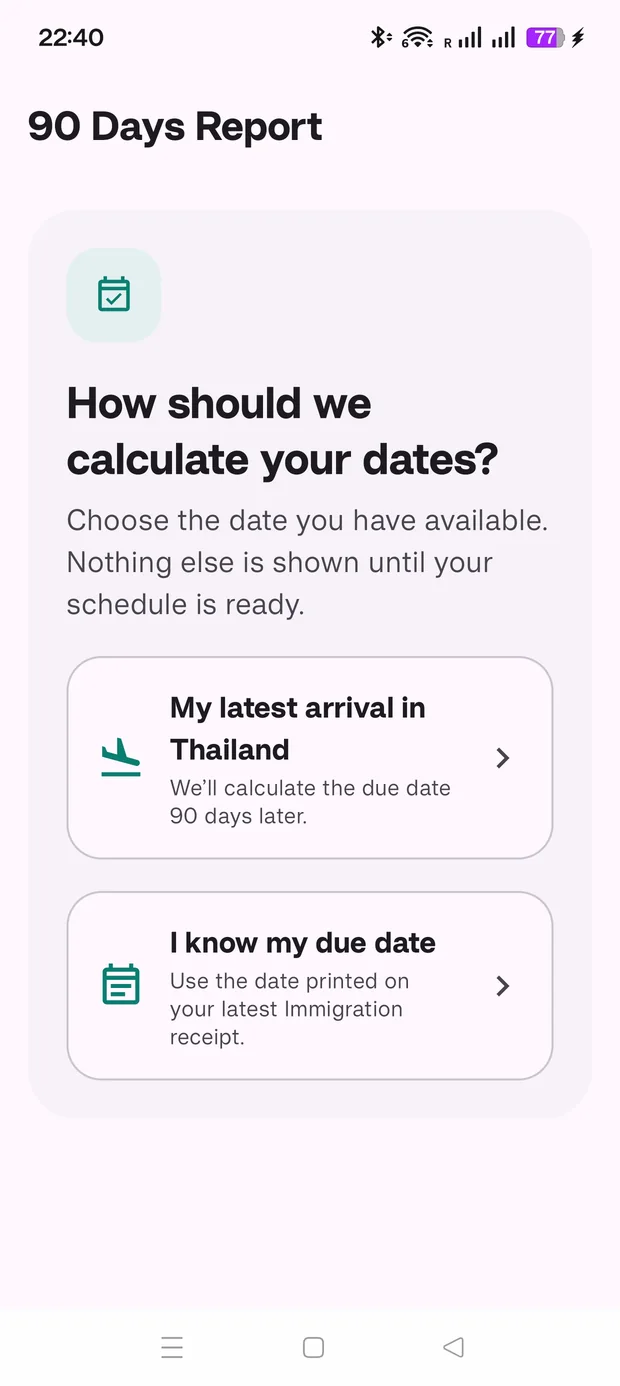
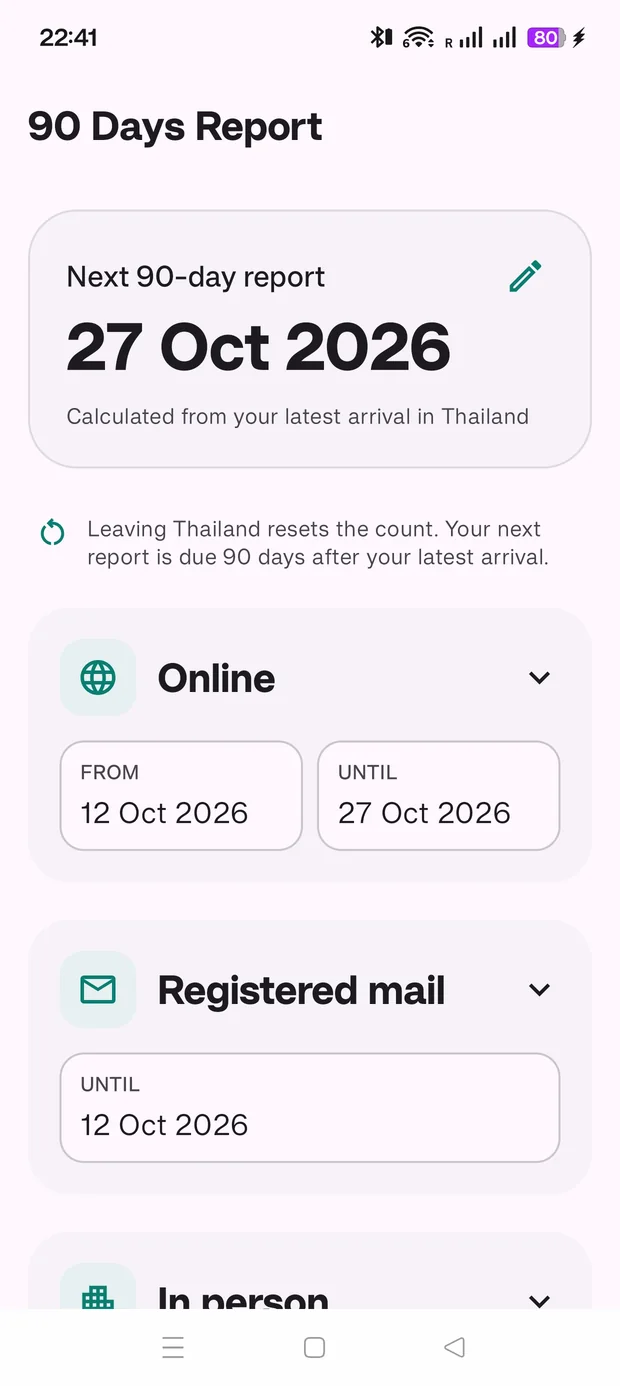
Enter your latest arrival in Thailand or the date on your receipt. The app lays out the online, registered-mail and in-person deadlines so you know what comes next.
What matters, without counting days by hand
The app turns your official date into practical guidance and keeps it ready for the next time you open it.
See when online and in-person reporting opens and when registered mail should be sent.
Enable local reminders for the dates you choose and see the exact day each alert is due.
Use a compact due-date widget or a larger widget with every reporting deadline.
Start with the date you already have
You do not need to understand every method first. Choose the information available and let the app prepare the schedule.
Use your latest arrival in Thailand or the due date printed on your receipt.
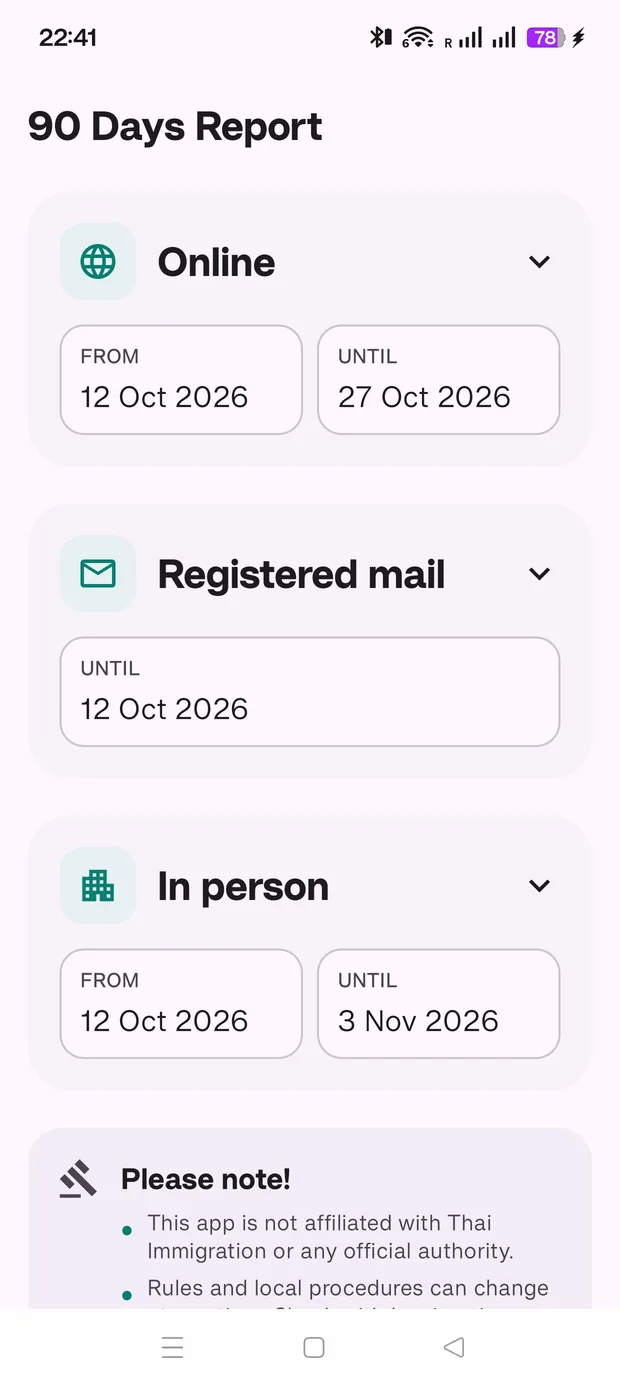
Compare the online, registered-mail and in-person windows in separate cards.
Schedule alerts, add dates to your calendar or check the widgets whenever you need them.
Inside the app
Cards begin collapsed so dates are easy to compare. Expand one for guidance, official links and extra actions.
Actual app screenshots in English. Dates are a historical example and do not replace your receipt or current Immigration instructions.
Choose between your arrival date and the due date on your receipt.
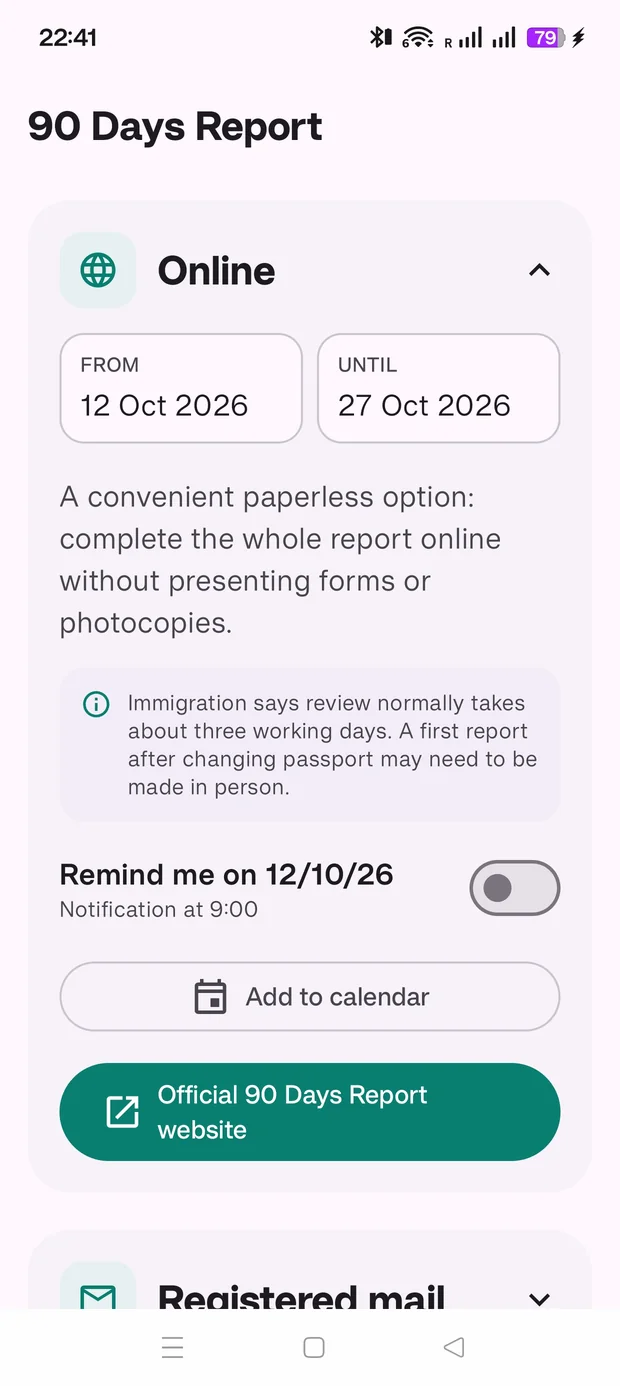
Check the window, schedule a reminder and open the official service.
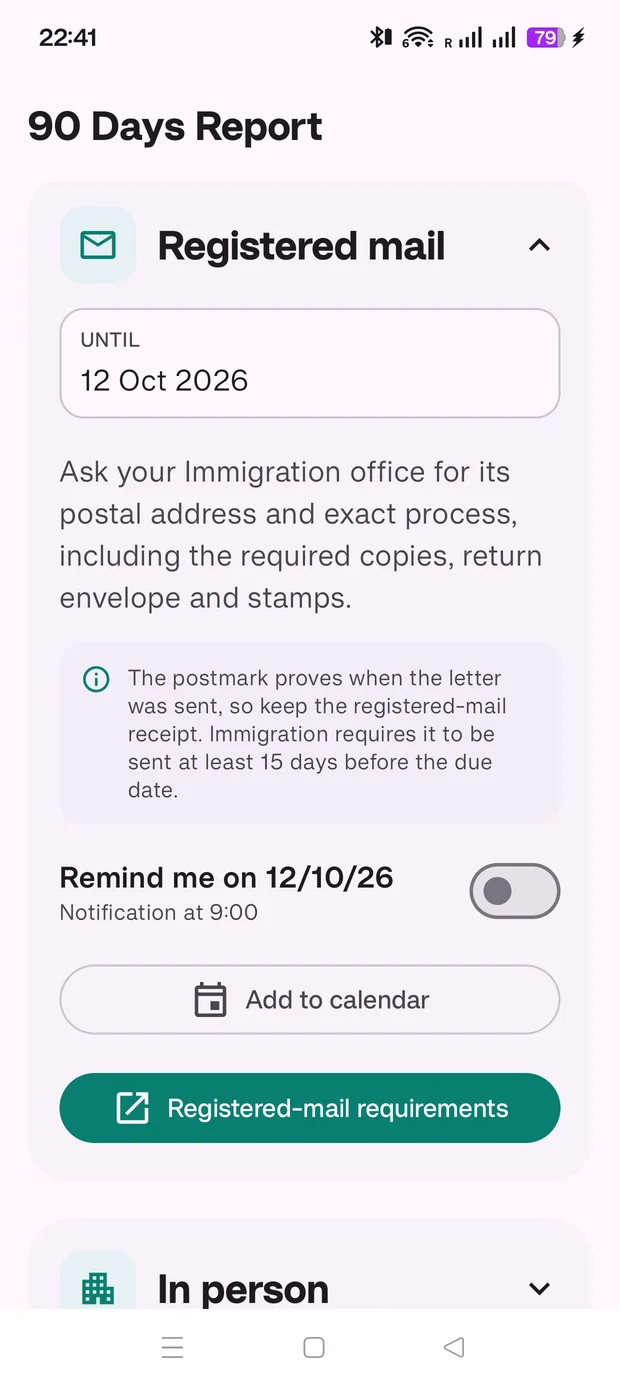
Keep the recommended deadline and mailing requirements at hand.
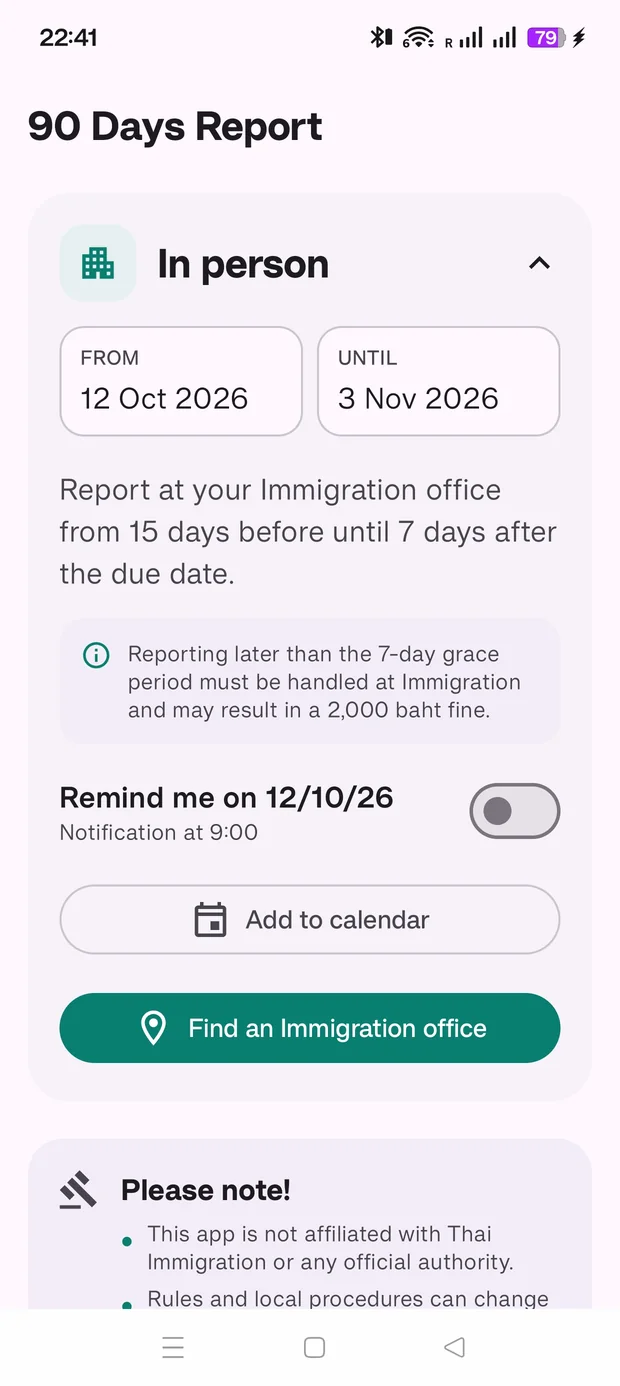
Check the in-person period and find an Immigration office.
A quick glance is all it takes
Keep the dates on your device, create calendar events and show either the due date or every deadline in a home-screen widget.
Android may delay alerts if you manually restrict battery use or force-stop the app.
Free, ad-free and with a small thank-you
This is an optional, repeatable Google Play purchase. Each coffee joins your local collection; afterwards, the card moves out of the way and the app celebrates with you.
Your dates are your business
Calculations, preferences, reminders and the coffee collection stay on your device. There is no analytics SDK or advertising identifier.
Save it today. Come back when you need it.
 For Android 6.0 or later
Made by a human

I make small apps to solve big problems. Or maybe they're not that big, but they're the kind that bug you if you got up a bit grumpy that day. Maybe they're not even problems, just more efficient ways of doing something.
The story
I lived in Thailand for 15 years, which, among other things, meant that every 90 days I had to get in touch with my immigration office to let them know where I was. It's a simple procedure, but the hardest part is remembering when you have to do it.
After missing the deadline once through sheer carelessness (and paying the resulting 2,000 baht fine), I figured a simple app to work out the date windows for each type of report might be a good idea. And it was. Or so I think.

Before you begin
No. It is an independent helper developed by Iván Ramírez. Your receipt and current instructions from your Immigration office always take precedence.
After entering Thailand, you can use your latest arrival to calculate the next due date. For later reports, use the due date printed on your most recent receipt.
The count restarts. When you return, update the app with your new arrival date.
Expand the card for your reporting method and enable the alert for the date shown. Allow Android notifications. Battery restrictions or force-stopping the app can prevent or delay delivery.
Not to calculate or view saved dates. Internet is needed to open external official pages or complete an optional Google Play purchase.
Yes. The app prepares an event and opens your calendar app so you can review and save it. It does not read your events.
More apps

 Fuentes de MadridKeep water close

 Madrid toiletsFind your next relief stop

 Emoji CalendarYour days in emojis

 Thai Taxi CalculatorBangkok metered taxi estimates

 Thai Year ConverterWestern and Buddhist years, instantly

 AI Usage TrayYour AI quota, next to the clock

 Better Emoji PickerThe emoji you want, one shortcut away

 WIMSYour space, at a glance